

This article article contains a high-level guide about management of your Amazon AWS Lightsail instance using the Lightsail console.
For all our guides, be aware that these are AIRIX.NET internal and are not suitable for absolute beginners.
Prerequisite
You have already created an Amazon Lightsail instance and have it up and running.
Information how to create a Lightsail instance you want to refer to our article Create a Virtual Private Server on Amazon AWS Lightsail.
Stop your instance
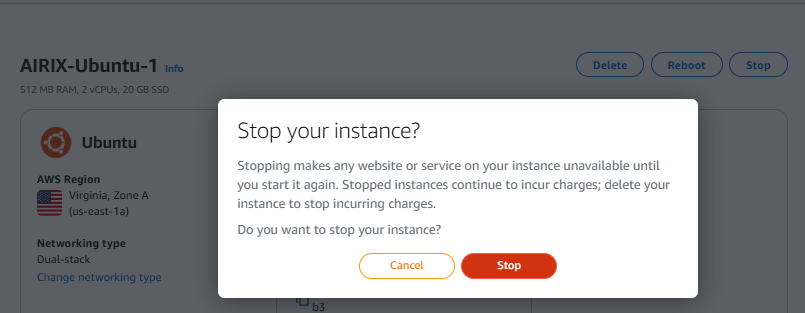
From your instance in the Lightsail console you can stop your instance from actively running on the virtual private server. All services will be stopped.
To stop an instance, click on the Button Stop in the section for your instance in Lightsail console.
Keep in mind that Amazon charges for your instance even if it has been stopped.
Start your instance
Once an instance has been stopped, you restart your instance. Click on the Button Start in the section for your instance in Lightsail console.
Reboot your instance
If your instance is running, you can reboot your instance. Click on the Button Reboot in the section for your instance in Lightsail console.
Delete your instance
To delete your instance, click on the Button Delete in the section for your instance in Lightsail console.
You need to be very careful before deleting and ensure that you just pick the instance you really want to delete as mistakes can be easily done here. Once an instance has been deleted, this cannot be undone.
You may also consider to make a manual snapshot beforehand to have an option to restore the instance after deletion.
Also be aware that automatic snapshots will be permanently deleted along with the instance and they cannot be restored either. Save any automatic snapshot you want to keep before you start the instance deletion.

