

This article article contains a high-level guide about management of your Amazon AWS Lightsail instance using the Lightsail console and explains typical activities you want to check and execute regularly.
For all our guides, be aware that these are AIRIX.NET internal and are not suitable for absolute beginners.
Prerequisite
You have already created an Amazon Lightsail instance and have it up and running.
Information how to create a Lightsail instance you want to refer to our article Create a Virtual Private Server on Amazon AWS Lightsail.
What means regular?
Regular means quite frequently as these activities are relevant to keep your instance up and running and secure. For important instances you may want to do it even daily, we typically run these checks every week.
Typical activities
Check the metrics
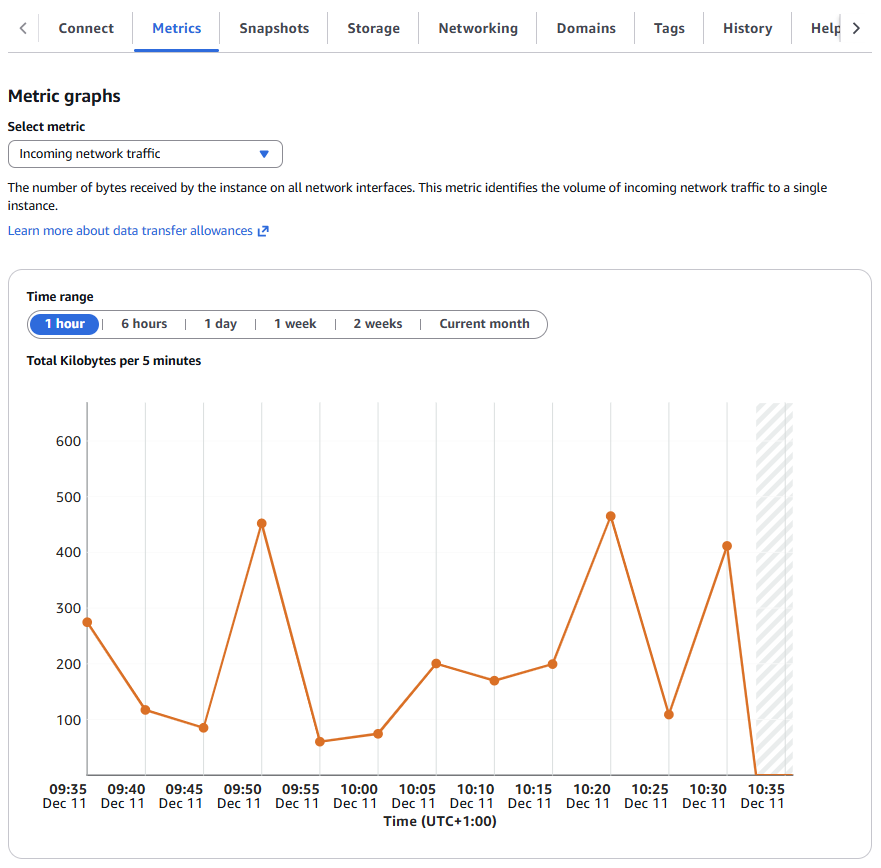
Login into the Amazon Lightsail console, select your instance and go to the Metrics tab.
You can view several parameters showing the current status, 1 day, 1 week, or current month.
- Typical parameters to review are:
- CPU utilization
- Network Incoming and Outgoing traffic
- Status check failures
The appropriate time range should cover the period since your last check, e.g. 1 week.
Regular checks on Ubuntu Linux
Additional regular checks should be done on the level of Ubuntu Linux.
The link will be provided soon.
